
As someone who thrives on organization, I’ve developed a system over the years to keep my photos and videos in check. Whether it’s from my travels or daily life, staying organized ensures I can easily access memories, plan future projects, and avoid the stress of sorting through an endless digital pile. With how easy it is to capture moments today, it’s tempting to just snap away without a second thought. But what do you do with all those photos and videos after the trip is over? Without a solid organizational system in place, they can quickly become a chaotic mess.
Edit and Organize Immediately to Avoid Overwhelm
It’s all too easy to let your memories pile up. If you wait too long to organize your photos, it becomes an overwhelming task. Trust me, I’ve been there! That’s why I make it a priority to edit and delete unwanted photos and videos right away. The moment I’ve captured something, I go through it and clear out the bad ones or those I know I won’t need. This helps prevent a buildup of unorganized files that would only become a chore later on. By staying on top of it every day, organizing doesn’t feel like a burden, and I don’t end up spending hours going through a mountain of photos after a trip.
The Basics of Organizing: Create Yearly Folders and Albums
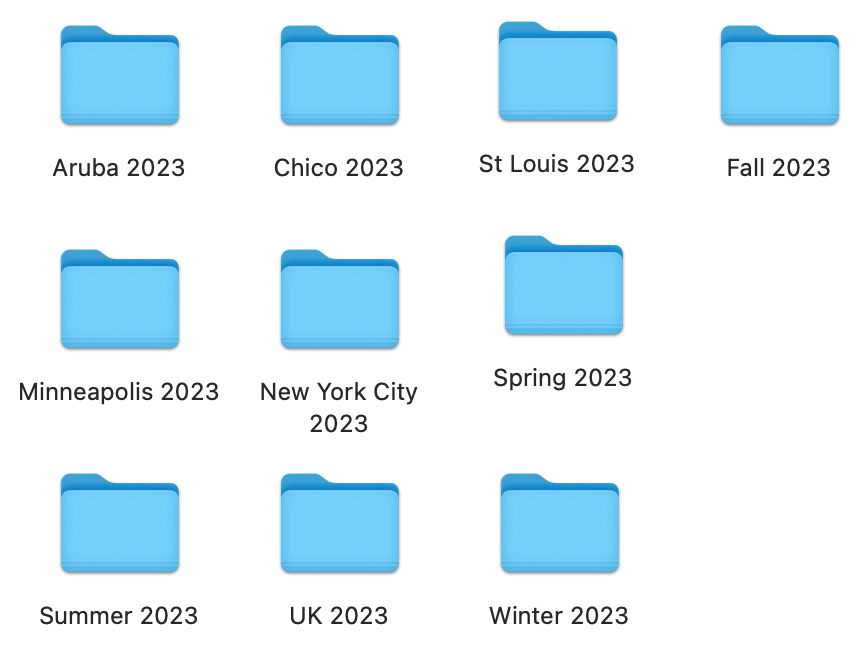
Once you’ve edited and deleted, the next step is to create an efficient structure. Start by creating a main folder for each year—this could be on your desktop, iPhotos, Google Photos, or any other platform you use to store media. Within each year folder, create albums for specific events or trips. For example, if you went to California in 2024, name the album “California 2024.” This structure helps keep everything organized and makes it easy to find exactly what you need when you’re looking back on your memories.
For those photos and videos that don’t fit neatly into a trip or event, create albums based on themes or seasons, like “Winter 2024” or “Summer 2024.” Another option is to categorize them by location, like “Chicago 2024,” or even by the type of content, such as “Friends 2024” or “Family 2024.” It’s all about finding a system that works for you and keeps your memories easy to access.
Consistency is Key to Staying Organized
Once you’ve created the structure, it’s time to maintain it. After you’ve organized your past photos, the key is to keep up with it as you take more photos and videos. Each day, I upload my new content into the corresponding folders and albums, and it only takes a few minutes. By making it part of my routine, I never feel overwhelmed by a growing digital clutter.
Think of Organizing Like Cleaning Your Room
Organizing photos and videos can feel like cleaning your room—it can be overwhelming if things are all over the place, but once you get started and break things down into manageable tasks, it’s much easier. If you take a few minutes each day to put things in their place (whether that’s photos or clothes), it will never feel like a big task. Staying consistent means it won’t become a chore, and the whole process will feel much more manageable.
Why It’s Worth It – The Benefits of Organized Media
The beauty of keeping your photos and videos organized is that it makes everything else easier. Whether you want to create a scrapbook, share your travel memories with friends and family, or even start a travel blog, having everything at your fingertips is a huge time-saver. Plus, it keeps your memories safe and easy to access for years to come.
So, start organizing today, and see how simple it can be to keep your digital life in order. Happy organizing!

Leave a comment